
Kobo Self Publishing: A Beginner's Guide for Canadian Authors (2026)
What Is Kobo Self Publishing — and Can You Really Do It for Free?
Yes, you can self-publish on Kobo for free using Kobo Writing Life — there are no upload fees or monthly charges.
Kobo Writing Life (KWL) is Rakuten Kobo's official self-publishing platform, and it costs nothing to create an account, upload your manuscript, or list your book for sale. You only ever pay anything when a reader buys your book, and even then it's a percentage split, not a fee. There's no subscription, no setup charge, and no annual listing cost.
That said, free to upload doesn't mean free to produce. The real investment in Kobo self-publishing is in producing a book that's actually worth reading and worth buying: professional editing, a properly designed cover, and a correctly formatted EPUB file. We'll break down those real costs further into this guide.
Kobo is especially valuable for Canadian authors due to its market dominance in Canada and partnerships with Canadian independent bookstores. Unlike most global eBook platforms, Kobo holds a disproportionately large share of the Canadian eBook market. It's deeply embedded in Canada's reading culture through its partnership with Indigo and Chapters, and through its affiliate relationships with independent Canadian bookstores. If you're a Canadian author trying to reach Canadian readers, Kobo isn't just a nice-to-have — it's arguably your most important platform.
Publishing on Kobo is also not the same experience as publishing on Amazon. Kobo rewards what the publishing world calls a 'wide' distribution strategy — putting your book on multiple platforms simultaneously rather than committing to Amazon-only exclusivity. For authors who want to reach readers across Canada, Europe, Australia, and beyond without locking themselves into a single retail ecosystem, Kobo Writing Life is the obvious starting point.
This guide walks you through the full KWL process: account setup, manuscript formatting, royalty rates, ISBN strategy, and the real costs to budget for beyond the free upload. If some of the terminology feels unfamiliar as you read along, Foglio's self-publishing glossary for 2026 is a useful companion reference.
One Canadian-specific detail most US-centric guides miss entirely: Canadian authors can obtain free ISBNs through Library and Archives Canada's ISBN Canada programme. That's a genuine financial advantage, and we'll cover exactly how to use it in the step-by-step section below.
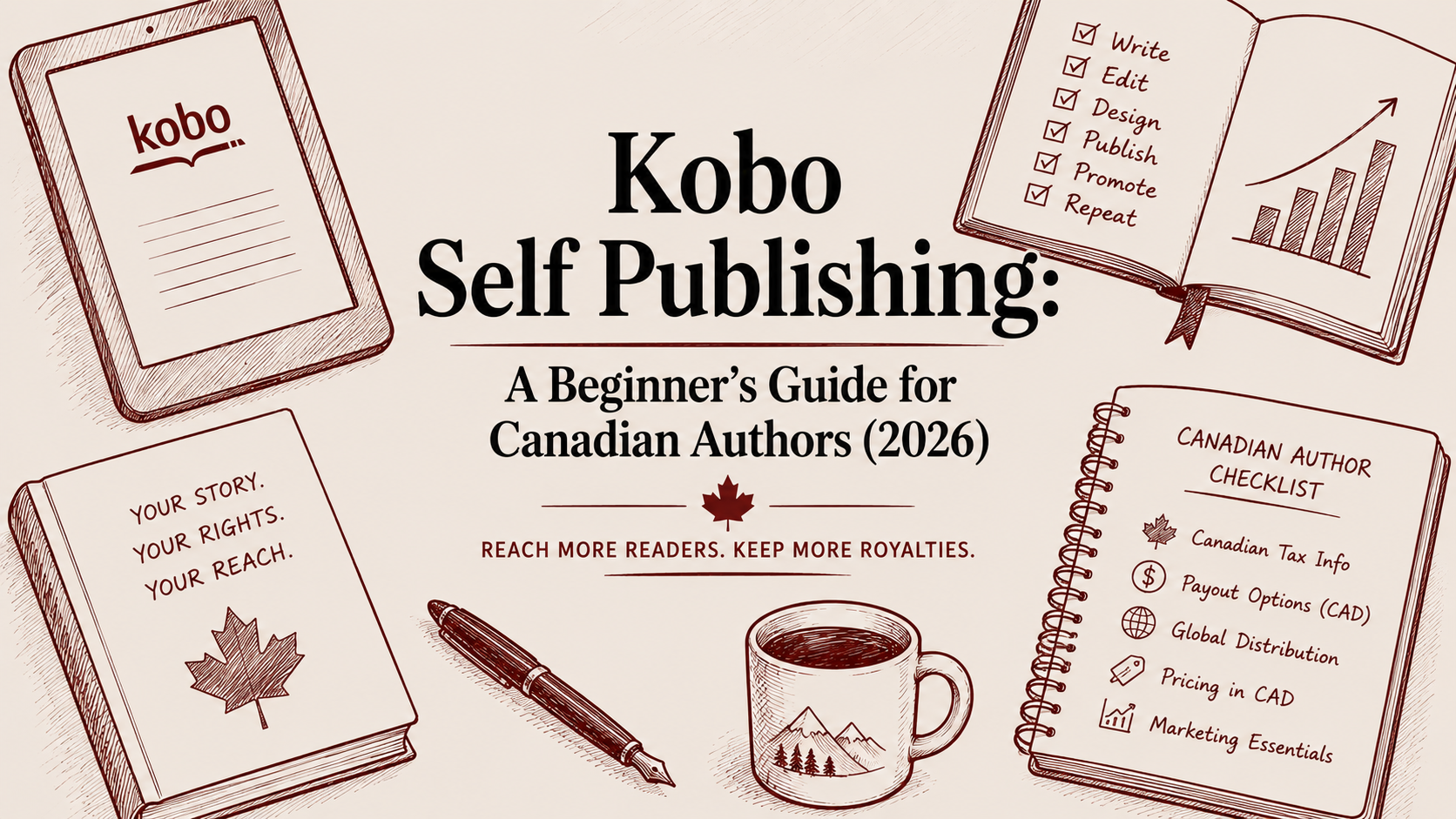
What Is Kobo Writing Life? The Platform Every Indie Author Should Know
Kobo Writing Life is the official self-publishing portal operated by Rakuten Kobo. Launched in 2012, KWL allows independent authors to upload, price, and distribute eBooks and audiobooks directly to Kobo's global storefront without going through a literary agent, a traditional publisher, or any intermediary.
Kobo Writing Life is Rakuten Kobo's free self-publishing platform where authors upload and sell eBooks directly to Kobo's global storefront without any upfront fees.
Kobo is owned by Rakuten, a Japanese e-commerce company with a global retail footprint that puts KWL well beyond niche platform territory. When you publish through KWL, you're plugging into Rakuten's distribution infrastructure, which spans over 190 countries. That's a meaningful scale for an indie author who doesn't have a publishing conglomerate behind them.
Here's what the KWL dashboard actually gives you:
Real-time sales tracking — you can see purchases as they happen, broken down by title and territory
Multi-currency pricing — set prices in CAD, USD, GBP, EUR, and other currencies independently, rather than relying on automatic currency conversion
Promotional scheduling — run price promotions with a set start and end date, without having to manually change prices back
Manuscript and metadata management — update your book's cover, interior file, description, categories, and keywords at any time
Royalty reports — downloadable payment history and earnings breakdowns by title
The platform accepts both eBooks and audiobooks. For eBooks, KWL accepts EPUB and DOCX file formats. EPUB is strongly recommended — it renders more cleanly across all Kobo devices and apps, and gives you much more control over the reading experience than a converted DOCX. If you want to understand what that means for your files before you upload, Foglio's guide on what makes a print-ready book file explains the underlying formatting principles.
The KWL step-by-step guide in the official help centre is genuinely useful as a technical reference, and the KWL blog publishes author success stories, marketing tips, and platform updates worth bookmarking.
One of KWL's most author-friendly features is its rights policy. Unlike Amazon KDP Select, Kobo Writing Life has no exclusivity requirement — authors can publish on multiple platforms simultaneously. You can put your book on Kobo, Apple Books, Google Play Books, and anywhere else you choose, all at the same time. Your rights stay entirely with you. KWL is a distribution channel, not an ownership arrangement.
Kobo also operates Kobo Plus, its subscription reading programme available in select markets. Think of it as Kobo's version of a book subscription service — subscribers pay a monthly fee and read from a curated library. Authors can opt their books into this pool and earn a share of revenue based on pages read. It's an optional add-on to your standard retail sales, not a replacement for them. If your genres align with subscription reader tastes (romance, fantasy, mystery, and literary fiction are all strong performers), opting in adds a second income stream alongside individual book sales.
The platform itself is entirely browser-based. There's no software to download to get started — just a browser and a KWL account at kobowritinglife.com.
Why Kobo Self Publishing Matters — Especially If You're a Canadian Author
If you're a Canadian author and you've been defaulting to Amazon because it's the biggest platform, it's worth pausing to think about where your Canadian readers actually buy their eBooks.
Kobo holds a dominant share of the Canadian eBook market — significantly larger than its global average market share would suggest. Kobo is particularly important for Canadian authors because it holds a dominant share of the Canadian eBook market and partners with Canadian independent bookstores. Those partnerships mean that when a reader walks into an independent bookstore in Toronto, Halifax, or Victoria and asks the bookseller for a recommendation, there's a real pathway for your Kobo-listed book to appear in that conversation. That's a cultural endorsement that Amazon simply can't replicate in Canada.
This matters even more for authors in specific genres. Romance, fantasy, mystery, and literary fiction all have strong Kobo Plus subscriber audiences. Kobo's recommendation engine is also known for surfacing indie titles in ways that feel less algorithmically buried than some other platforms. Self-publishing communities on Reddit have documented authors in these genres finding that Kobo's discovery system and author support compare favourably with other major platforms, particularly when it comes to resolving metadata issues or payment questions.
For authors writing memoirs, literary non-fiction, or shorter fiction forms, the Canadian market case is even stronger. Canadian readers have a well-documented appetite for domestic voices and stories set in Canadian contexts. If you're working on writing a memoir Canadians will connect with, Kobo is where those readers are browsing. Similarly, if you're producing a novella for the eBook market, Kobo's format-friendly platform and Canadian readership make it a logical primary sales channel.
Now let's talk royalties, because they matter more than most beginners realise.
Kobo Writing Life pays 70% royalties on books priced $2.99–$12.99 USD with no exclusivity requirement — a key advantage over Amazon KDP Select.
Here's the comparison spelled out:
| Platform | 70% Royalty Price Range | Exclusivity Required? | |---|---|---| | Kobo Writing Life | $2.99–$12.99 USD | No | | Amazon KDP (standard) | $2.99–$9.99 USD | No, but limits promotional tools | | Amazon KDP Select | $2.99–$9.99 USD | Yes — 90 days exclusive |
Kobo's 70% bracket extends to $12.99 USD, giving authors flexibility at higher price points without any exclusivity trade-off. That extra $3 of price flexibility might seem small, but for authors pricing non-fiction, illustrated books, or premium literary fiction at the top end of the eBook market, it's a real structural advantage.
There's also a library lending angle worth knowing. Kobo's platform connects with OverDrive and Libby in certain markets, which means your book may also be available through library lending programmes — generating a separate stream of royalties alongside direct retail sales. For Canadian authors, library readership is a meaningful channel and a significant part of how Canadian readers discover new voices.
The wide publishing strategy — publishing on Kobo, Amazon, Apple Books, and other platforms simultaneously without enrolling in any exclusivity programme — is increasingly the approach professional indie authors take when they're building a sustainable long-term career. Kobo is at the centre of that strategy for any author with a Canadian readership.
How to Self Publish on Kobo: Step-by-Step Setup for Beginners
Here's the full process from a blank KWL account to a published book on the Kobo storefront. The official KWL step-by-step guide is a useful companion for technical questions as you go, and there's also a helpful KWL walkthrough on YouTube if you prefer a visual guide.
To self-publish on Kobo, create a free Kobo Writing Life account, prepare an EPUB file with a 1600x2400px RGB cover, enter your metadata, set a price between $2.99–$12.99 for the 70% royalty tier, and submit for review — most books go live within 24–72 hours.
Step 1 — Create Your KWL Account
Go to kobowritinglife.com and click 'Sign Up'. You can register using an existing Kobo reader account or create a new one from scratch. Use a professional email address you plan to keep long-term — this becomes your author business contact for payments and platform communications.
Step 2 — Complete Your Author Profile
Add your author name (pen name or legal name, whichever you publish under), a short bio, and optionally a profile photo. This information feeds into your public Kobo author page. Readers do check author pages before buying, particularly for debut authors they haven't heard of before. Treat your bio like a first impression — brief, human, and specific about what you write.
Step 3 — Set Up Payment and Tax Details (Canadian-Specific)
Navigate to 'Account Settings > Payment'. Canadian authors can receive payments via direct deposit in CAD, which is a real convenience advantage. The standard payment threshold is $100 CAD — once your earned royalties hit that amount, a deposit is triggered.
For tax purposes, this is important: if you're a Canadian author earning self-publishing income and your annual revenue exceeds the $30,000 CAD small supplier threshold, you may be required to register for, collect, and remit HST or GST. Kobo doesn't withhold Canadian taxes on behalf of KWL authors — that's your responsibility as a self-employed creator. Speak to an accountant early if you're expecting meaningful income from your books.
If you're a non-Canadian author publishing through KWL, you may need to complete a W-8BEN form for US tax treaty purposes to avoid automatic US withholding tax on your earnings.
Step 4 — Get Your ISBN (Do This Before You Upload)
Canadian authors can obtain free ISBNs through Library and Archives Canada's ISBN Canada programme at bac-lac.gc.ca, which is a significant advantage over authors in other countries who must purchase ISBNs.
As a self-publishing author, you qualify as a publisher under the ISBN Canada programme. You can request a block of 10 ISBNs at no cost — one per format (your eBook, paperback, and hardcover each require a separate ISBN). Using your own ISBN rather than a Kobo-generated internal identifier gives you full bibliographic ownership of your title: the book is registered to you, and that information travels with the book to any retailer or library system that encounters it.
KWL does let you publish without an ISBN by assigning its own internal identifier. That works fine for selling exclusively on Kobo. But if you're distributing across multiple platforms and want your book to be properly catalogued in library systems and international retail databases, owning your ISBN is best practice.
Step 5 — Prepare Your Manuscript File
KWL accepts EPUB and DOCX formats. EPUB is strongly recommended. It produces a cleaner reading experience on all Kobo devices and apps, and it gives you precise control over chapter headings, fonts, spacing, and image placement.
If you're converting from DOCX, tools like Calibre (free) or Vellum (Mac, paid) produce solid EPUBs. Whatever tool you use, check that your final file meets these requirements:
All fonts are embedded
Formatting is style-based (not manual spacing or tab indents)
There's a working table of contents linked via anchor tags
Front matter (title page, copyright page, dedication) is properly structured
Back matter (about the author, acknowledgements, other titles) is included
Kobo's upload system flags common EPUB errors during the submission process, which helps catch problems before they reach readers. That said, it's smarter to validate your file before you upload than to rely on Kobo's system to catch everything. Foglio's guide to preparing your book files correctly before upload covers the formatting principles you need to get this right.
Step 6 — Prepare Your Cover Image
Upload a JPEG or PNG cover at a minimum of 1400 x 2100 pixels. Kobo recommends 1600 x 2400 pixels at 72 DPI for screen display — use those dimensions as your target.
One important technical detail: eBook covers must be in RGB colour mode, not CMYK. This trips up authors who work with designers more familiar with print production. Why eBook covers must be in RGB, not CMYK is explained in Foglio's colour mode guide — it's a short read that saves you a confusing upload error.
The cover is your most important marketing asset on any eBook platform. A professionally designed cover isn't optional if you want readers to take your book seriously — it's the first thing a browsing reader sees, and it carries all of the genre signals, quality cues, and emotional hooks that determine whether someone clicks through.
Step 7 — Enter Your Book's Metadata
Metadata is where discoverability lives. Fill in every field carefully:
Title and subtitle — match your cover exactly, including capitalisation
Series name and number if applicable
Author name(s)
Book description — up to 4,000 characters; write this like sales copy, not a synopsis (more on this in the Tips section)
Language
Publication date
Categories — choose up to 2 BISAC categories; be as specific as possible, not just 'Fiction'
Keywords — up to 8; think like a reader searching, not a librarian cataloguing
Age/audience rating
A weak book description is one of the top reasons debut Kobo books underperform. We'll cover how to fix it in the next section.
It's also worth knowing that you can edit all of this information after publication. Foglio's guide on when and how to update your book cover, interior, and metadata explains the process and when it makes strategic sense to do so.
Step 8 — Set Your Price
Enter your retail price. Remember: 70% royalty applies to books priced $2.99–$12.99 USD; 45% applies below $2.99 or above $12.99. You can set prices in multiple currencies independently, including CAD. Kobo also allows a '$0.00' price if you want to offer a free book — a useful strategy for series starters trying to build readership.
Step 9 — Choose Your Distribution Territory
By default, KWL distributes worldwide. Unless you have specific territorial rights restrictions (for example, if you've sold rights for your book in a particular country to a publisher), leave this setting as worldwide.
Step 10 — Publish or Schedule
Click 'Publish' to submit your book for review. KWL typically reviews and publishes new titles within 24–72 hours. You can also schedule a future publication date if you're planning a launch around a specific day.
After your book goes live, it appears on kobo.com and in the Kobo app across all supported territories. Sales data and royalty reports appear in your KWL dashboard, usually updated within 24 hours of a sale.

Kobo Self Publishing Tips: How to Actually Sell Books (and Mistakes to Avoid)
Uploading your book is the easy part. Getting readers to actually buy it is where most first-time Kobo authors run into trouble. Here are the most common mistakes — and the practical fixes.
Mistake 1 — A DIY Cover That Signals Amateur
The Kobo storefront is visual-first. Readers make split-second decisions based on cover alone, and they're doing it in the context of dozens of other thumbnails on the same screen. A cover that doesn't match the visual conventions of its genre — the right font style, image treatment, colour palette, and composition — will be passed over regardless of how good the book is. Professional cover design is the single highest-return investment a self-publishing author can make. It's not a luxury.
Mistake 2 — Uploading a Poorly Formatted EPUB
Broken tables of contents, inconsistent chapter headings, missing embedded metadata, or images that render at the wrong size all result in a poor reading experience — and Kobo readers leave reviews. Test your EPUB in Kobo's free desktop app or on a Kobo device before you submit. Don't assume the file is fine because it looks fine in your word processor.
Mistake 3 — Writing a Book Description That Summarises Instead of Sells
Your book description is an advertisement, not a plot summary. It needs a hook in the first line, emotional stakes in the middle, and a prompt at the end — a cliffhanger question, a genre comparison ('Perfect for fans of...'), or a clear signal of who this book is for. Weak descriptions are one of the most consistent reasons first-time Kobo books stall at zero sales. Foglio's guide on how to choose the right book excerpt for your description has practical techniques for opening with immediate impact. The self-publishing community's experiences on Reddit's r/selfpublish consistently surface the description as one of the highest-leverage things to get right.
Mistake 4 — Choosing Categories That Are Too Broad
Picking 'Fiction > General' instead of 'Fiction > Romance > Contemporary' or 'Fiction > Thriller > Psychological' dramatically reduces your chance of appearing in category bestseller lists, which are a key discovery mechanism on Kobo. Go as specific as the BISAC tree allows. Specific categories have less competition and more targeted readers.
Mistake 5 — Ignoring Keywords or Using Obvious Ones
Keywords in KWL are searchable terms that readers type. 'Romance novel' is too broad and too competitive to be useful. 'Small-town romance Canada' or 'cozy mystery female protagonist' targets a reader who's already looking for exactly what you wrote. Think about the phrases a reader uses when they don't know your name but know what kind of book they want.
Mistake 6 — Publishing Without Professional Editing
A typo-riddled book in the Kobo storefront damages your author reputation in ways that are hard to recover from. Unlike a physical print run where a reprint costs money, you can update an eBook at any time — but the early reviews already exist. Edit before you publish, not after.
Mistake 7 — Ignoring the Kobo Plus Opt-In
If your genres align with what Kobo Plus subscribers read (romance, fantasy, mystery, and literary fiction are the strongest performers), opting your book into the subscription pool adds a second revenue stream. Authors earn per page read, which won't replace retail royalties but adds meaningfully over time. The KWL blog regularly covers how to approach Kobo Plus strategy. Check the KWL help centre for opt-in instructions if you decide this makes sense for your title.
The most common mistakes first-time Kobo self-publishers make are: amateur cover design, broken EPUB formatting, a book description that summarises instead of sells, and choosing categories that are too broad to generate discovery.
Tips for Authors Who Want to Actually Sell
Use narrative techniques that hook readers from your opening. The same skills that create a compelling first chapter work in your book description's opening sentences. Foglio's guide on first-person narrative techniques that hook readers is worth reading with your description in mind, not just your manuscript.
Price strategically for Canadian readers. Consider setting a slightly higher CAD price to reflect purchasing power parity. A $4.99 USD book can legitimately be priced at $6.49–$6.99 CAD without feeling expensive to Canadian buyers. KWL lets you set this independently rather than auto-converting from USD.
Build an author website before you launch. Directing Kobo readers to a professional author website after purchase converts one-time buyers into newsletter subscribers and repeat readers. Foglio's guide to building a professional author website covers what needs to be on that page and what can wait.
Update your metadata regularly. KWL allows you to edit your metadata, cover, and manuscript file at any time. Authors can update their Kobo book's metadata, cover, and manuscript file at any time through KWL — early underperformance is rarely permanent if you audit and optimise. If your book isn't selling after 90 days, audit your description, categories, and keywords before assuming the book itself is the problem. Many first books that underperform at launch go on to sell steadily after a metadata revision.
If this all sounds like more moving parts than you expected, that's because producing a competitive self-published book genuinely is a multi-discipline project. Foglio's done-with-you publishing services are designed for exactly this situation — working with you through editing, design, formatting, and launch preparation so none of these pieces get missed.
Kobo Self Publishing FAQ: Your Questions Answered
How much does it cost to publish a book on Kobo?
Uploading your book to Kobo Writing Life is completely free — there are no submission fees, listing fees, or monthly charges. However, the real cost of publishing a competitive book is higher than zero. Publishing on Kobo through Kobo Writing Life is free — there are no upload fees — but authors should budget $1,000–$3,500+ CAD for professional editing, cover design, and formatting to produce a book that competes in the market.
Canadian authors should budget for: professional editing ($500–$2,500+ CAD depending on manuscript length and edit type), cover design ($300–$800+ CAD for a professional designer), EPUB formatting ($150–$400 CAD if you're not doing it yourself), and an ISBN. The good news for Canadian authors: Library and Archives Canada provides free ISBNs through the ISBN Canada programme — a genuine advantage over US authors who pay approximately $125 USD per ISBN through Bowker. If you treat self-publishing like a business investment rather than just an upload, a realistic total budget for a professionally produced eBook is $1,000–$3,500+ CAD before any marketing spend.
Can you self-publish on Kobo?
Yes, any author can self-publish on Kobo using Kobo Writing Life without a publisher or literary agent. The platform's free, direct self-publishing portal has no gatekeepers, no requirement for a literary agent or traditional publisher, and no genre restrictions beyond Kobo's standard content policy. You create a free KWL account, upload your manuscript (EPUB or DOCX), add a cover, fill in your metadata, set your price, and submit for review. Most books go live on the Kobo storefront within 24–72 hours. You retain 100% of your rights and can update your book at any time.
Note that books under 2,500 words may be flagged for quality review, but there are no minimum word counts that automatically disqualify a submission.
Is Kobo better than Amazon KDP?
Kobo is not better or worse than Amazon KDP universally — Kobo is stronger in Canada and supports wide distribution without exclusivity, while Amazon KDP offers broader global reach; most professional indie authors publish on both simultaneously.
Here's the honest comparison: Kobo Writing Life pays 70% royalties on books priced $2.99–$12.99 USD with no exclusivity requirement, and its royalty bracket extends to $12.99 (vs. Amazon KDP's 70% bracket which caps at $9.99 USD). Amazon KDP offers broader global reach and a larger customer base overall, but its most powerful promotional tools require enrolment in KDP Select, which means 90 days of Amazon exclusivity — locking you out of Kobo and other platforms during that period. For Canadian authors specifically, Kobo is often the stronger primary platform because of its dominant market share in Canada and its partnerships with Canadian independent bookstores. Self-publishers on Reddit's r/selfpublish frequently cite Kobo's author-friendliness as a meaningful factor in their platform choice.
Do I need an ISBN to publish on Kobo?
An ISBN isn't strictly required. KWL can assign an internal identifier if you don't provide one, and that works fine for selling exclusively on Kobo. However, using your own ISBN is strongly recommended if you plan to distribute across multiple platforms and retailers, as it gives you full bibliographic ownership of your title. Canadian authors have a significant advantage: Library and Archives Canada offers free ISBNs to Canadian publishers through the ISBN Canada programme at bac-lac.gc.ca. As a self-publishing author, you qualify as a publisher and can request a block of 10 ISBNs at no cost. Remember that each format (eBook, paperback, hardcover) needs a separate ISBN.
Can I publish on both Kobo and Amazon at the same time?
Yes — and for most authors, you should. Kobo Writing Life has no exclusivity requirements, so you can publish your book on Kobo and Amazon KDP simultaneously, along with Apple Books, Google Play Books, Barnes & Noble Press, or any other platform. The only scenario where this isn't possible is if you enrol your Amazon title in KDP Select, which requires 90-day exclusive distribution through Amazon. If you want to publish wide — reaching Canadian readers on Kobo, US readers on Amazon, Apple device users on Apple Books, and so on — simply avoid KDP Select enrolment and upload your book independently to each platform.
Ready to publish on Kobo but not sure where to start with your manuscript, cover, or formatting? Book a free consultation with Foglio — Michael Pietrobon works directly with Canadian authors to take books from manuscript to market, with professional editing, bespoke cover design, and typesetting handled as a done-with-you partnership.
